eBay & Etsy Listing Image Rules (And a Batch Workflow to Follow Them)
What You'll Learn
✅ Exact image specs for eBay and Etsy (size, format, background)
✅ What each platform prohibits (and why listings get rejected)
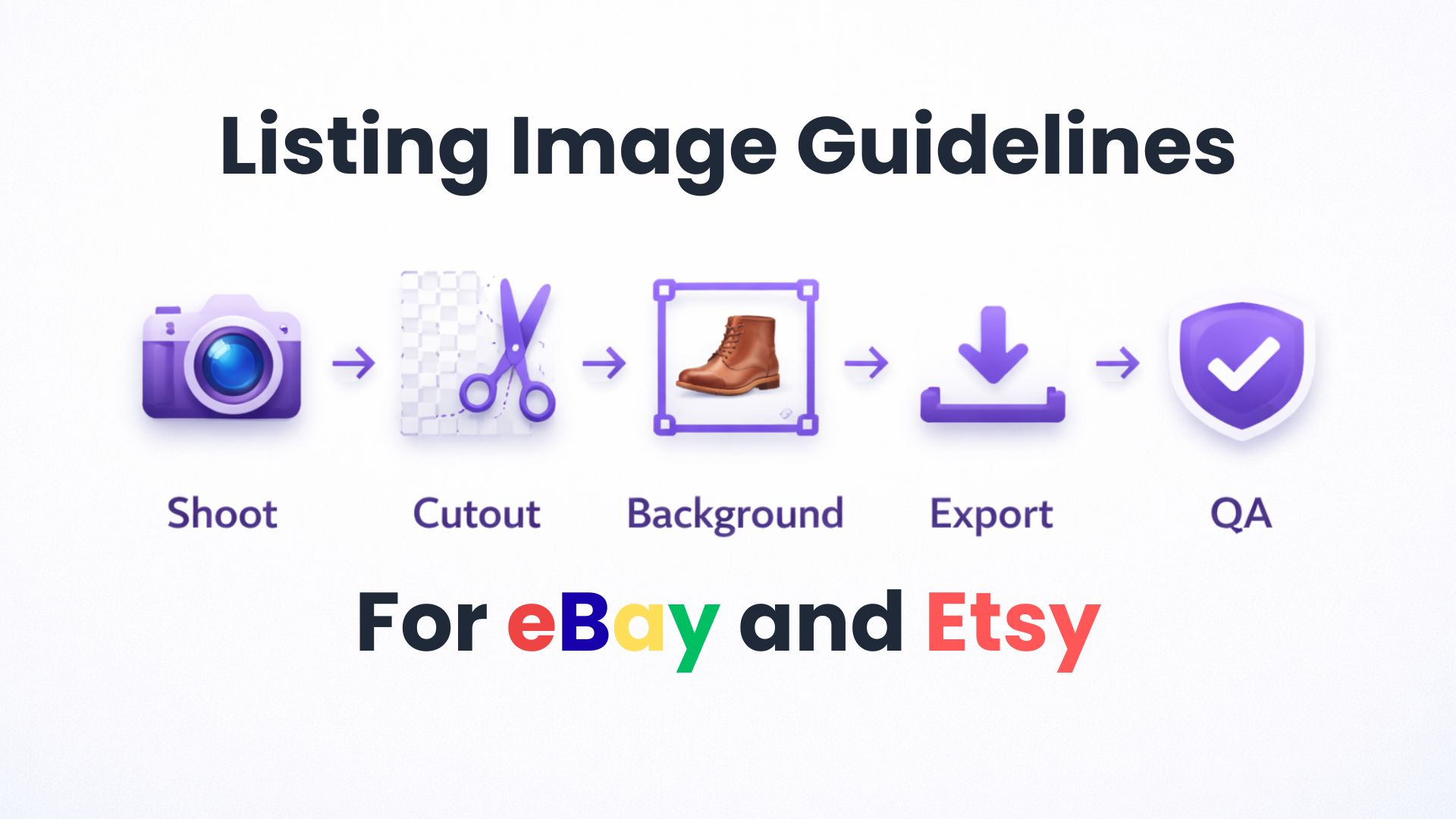
✅ A repeatable batch workflow: shoot → cutout → background → export → QA
✅ Checklist to verify your images before uploading
Introduction
eBay and Etsy have different image requirements, but both share one goal: help buyers see exactly what they're getting.
Following these guidelines isn't just about compliance — listings with professional, consistent photos rank higher in search results and convert better. This guide covers the exact specs for each platform, plus a batch workflow to process multiple products efficiently.
Why Image Guidelines Exist
Marketplace image rules serve two purposes:
- Buyer Trust: Clear, consistent photos help buyers evaluate products accurately, reducing returns and disputes
- Search Visibility: Both eBay and Etsy factor image quality into search ranking algorithms — poor images can hurt your listing's visibility
The Consistency Effect
Shops with uniform product photography (same backgrounds, angles, and lighting) appear more professional and trustworthy. Buyers are more likely to purchase from shops that look "put together."
eBay Photography Guidelines
eBay has specific requirements for listing photos. Here's what you need to follow:
Size Requirements
| Requirement | Value | Notes |
|---|---|---|
| Minimum | 500px (longest side) | Required to list |
| Recommended | 1600 × 1600px | Enables full zoom |
| Maximum file size | 12MB | Per image |
| Best aspect ratios | 1:1 or 16:9 | Display well in search and listings |
Background Requirements
- White backgrounds are generally best for most products
- For shiny or reflective items (jewelry, watches), a darker background may work better
- Uncluttered space with neutral backdrop
Prohibited Elements
| Don't Include | Why |
|---|---|
| Watermarks | Affects search placement |
| Logos or copyright notices | Against policy |
| Added text or marketing graphics | Violates picture policy |
| Drop shadows | Specifically prohibited by eBay Pictures |
| Stock photos (for used items) | Must show actual item condition |
| Borders | Not allowed |
Required Photo Content
- Main photo: Front view or slight angle, showing whole item
- Product should take up most of the image space
- Show any flaws, scratches, or imperfections clearly
- For bundles, main photo should show all items
Source: eBay Picture Policy, eBay Photo Tips
Etsy Photo Best Practices
Etsy's requirements differ from eBay, with more flexibility but specific size recommendations:
Size Requirements
| Requirement | Value | Notes |
|---|---|---|
| Minimum (shortest side) | 2000px | Etsy's official recommendation |
| Optimal size | 2000 × 2000px | Square format works best |
| Maximum file size | Under 1MB | Recommended for fast loading |
| Resolution | 72 DPI | Pixel dimensions matter more than DPI |
Aspect Ratio Considerations
Etsy displays images differently across contexts:
| Context | Aspect Ratio | Notes |
|---|---|---|
| Desktop thumbnails | 1:1 (square) | Recent change — square converts better |
| Etsy app | ~4:5 landscape | Varies by placement |
| Official recommendation | 4:3 horizontal | But square is more versatile |
Best practice: Use 2000 × 2000px square images to display consistently across all contexts.
Background Flexibility
Unlike eBay, Etsy doesn't mandate white backgrounds. However:
- Clean, uncluttered backgrounds perform better
- Lifestyle shots (product in use) work well for secondary images
- Keep important details away from edges (cropping varies by context)
Photo Placement Tips
- Center your product — edges get cropped differently across devices
- Leave "white space" around the product
- Don't put important details near the edges
Source: Etsy Image Best Practices, Growing Your Craft Guide
eBay vs Etsy: Side-by-Side Comparison
| Aspect | eBay | Etsy |
|---|---|---|
| Minimum size | 500px (longest side) | 2000px (shortest side) |
| Recommended size | 1600 × 1600px | 2000 × 2000px |
| Best aspect ratio | 1:1 or 16:9 | 1:1 (square) |
| Max file size | 12MB | ~1MB recommended |
| Background | White required (most items) | Flexible, clean preferred |
| Drop shadows | Not allowed | Allowed |
| Watermarks | Not allowed | Not recommended |
| Stock photos | Not for used items | Not recommended |
| Main photo | Front view, whole item | Front view, whole item |
Key takeaway: Etsy requires larger images (2000px vs 500px minimum) but is more flexible on backgrounds. eBay is stricter about white backgrounds and prohibits drop shadows.
Batch Workflow: Shoot → Cutout → Background → Export → QA
Instead of editing each photo manually, set up a repeatable pipeline:
Step 1: Shoot Consistently
- Use the same lighting setup for all products
- Same distance and angle for each shot
- Tripod or stable surface to eliminate motion blur
- Neutral backdrop (white sheet, seamless paper, or lightbox)
Step 2: Batch Background Removal
Process multiple images at once:
- Upload batch — Select 10-50 images
- Remove backgrounds — AI processing handles the cutout
- Review edges — Check for any cleanup needed
With SimplyPNG, you can batch process up to 50 images at once (depending on plan) with output up to 4096px.
Step 3: Apply Consistent Backgrounds
For eBay and most e-commerce:
- White background (RGB: 255, 255, 255)
- No drop shadow (eBay requirement)
For Etsy (optional):
- White or subtle gradient backgrounds
- Lifestyle context shots for secondary images
Step 4: Export at Correct Specs
| Platform | Export Settings |
|---|---|
| eBay | 1600 × 1600px, JPEG, no watermarks |
| Etsy | 2000 × 2000px, JPEG or PNG, under 1MB |
| Both platforms | 2000 × 2000px works for both |
Pro tip: Export at 2000 × 2000px for all marketplaces — it meets both eBay and Etsy requirements with room to spare.
Step 5: Quality Assurance
Before uploading, verify each image against the checklist below.
Pre-Upload Checklist
Use this QA rubric before uploading to any marketplace:
Universal Checks
- Image is sharp and not blurry
- Product is centered and takes up most of the frame
- No watermarks, logos, or text overlays
- File size within limits (12MB eBay, ~1MB Etsy)
- Correct aspect ratio (1:1 square recommended)
eBay-Specific
- Minimum 500px on longest side (1600px recommended)
- White or neutral background
- No drop shadows
- No added borders
- Shows actual item (not stock photo for used items)
- All flaws/imperfections visible
Etsy-Specific
- Minimum 2000px on shortest side
- Important details not too close to edges
- Consistent with other listings in your shop
Common Mistakes & Fixes
Mistake 1: Images Too Small
Problem: Uploading 800px images that look blurry when zoomed.
Fix: Always shoot at highest resolution, export at 2000 × 2000px minimum.
Mistake 2: Inconsistent Backgrounds
Problem: Some photos white, some gray, some with shadows.
Fix: Batch process all images with the same background removal and export settings.
Mistake 3: Drop Shadows on eBay
Problem: Using templates or presets that add drop shadows.
Fix: Remove all shadows for eBay listings. Use "transparent background" or "white background" export — no shadow effects.
Mistake 4: Cropped Product Details on Etsy
Problem: Product edges get cut off on mobile app.
Fix: Leave padding around the product (don't fill the entire frame). Use square format with product centered.
Mistake 5: Watermarks Hurting Search Ranking
Problem: Adding watermarks to "protect" images, but hurting search visibility.
Fix: Don't add watermarks. Both platforms penalize listings with watermarked images in search results.
Mistake 6: Photos Look "Too AI-Edited"
Problem: Overly sharp edges, unnatural lighting, or obvious cutout artifacts.
Fix: Use quality background removal tools that preserve edge detail. Check for jagged edges around hair, fur, or fine details. See our guide on why cutouts look jagged and how to fix them.
Tools for Batch Processing
| Tool | Best For | Batch Limit | Output Quality |
|---|---|---|---|
| SimplyPNG | E-commerce sellers | 10-50 images | Up to 4096px |
| eBay Background Tool | eBay sellers only | 1 at a time | Standard |
| Canva Pro | Design + removal | 1 at a time | Up to 10MP |
| Photoroom API | Developers | Unlimited | Full resolution |
For sellers listing on multiple platforms, a dedicated batch tool saves significant time over editing one image at a time in eBay's built-in editor.
The Bottom Line
eBay: White backgrounds required, 1600px recommended, no shadows or watermarks.
Etsy: 2000px minimum, square format best, more background flexibility.
For both: Use 2000 × 2000px square images with clean white backgrounds — this meets requirements for both platforms and gives you consistent, professional listings.
Set up a repeatable batch workflow instead of editing each photo manually. The consistency will improve your shop's appearance and search ranking.
FAQ
Frequently Asked Questions
Related Articles:
- Bulk Background Removal for E-Commerce: Amazon & Shopify
- Why Your Cutouts Look Jagged (And How to Fix Them)
- PNG vs JPEG vs WebP: Export Presets for Cutouts
Last Updated: February 4, 2026
Author: SimplyPNG
Tags: #ebay #etsy #listing-photos #e-commerce #batch-processing
Sources:
- eBay — Picture Policy — eBay official listing policy
- eBay — Adding Pictures to Listings — eBay seller help
- Etsy — Image Requirements and Best Practices — Etsy help center
Ready to remove backgrounds?
Try SimplyPNG's AI-powered background removal tool for free. No signup required!