Cheapest Way to Get Transparent PNGs Without Canva Pro

What You'll Learn
✅ Why design suite subscriptions aren't always worth it
✅ 3 ways to get transparent PNGs (and their real costs)
✅ How to save money with pay-per-use tools
✅ Step-by-step workflow to stay on Canva Free
Every creator has been there: you’ve spent an hour designing a perfect graphic in Canva, only to realize that the "Download with Transparent Background" button is locked behind a $15/month Canva Pro subscription.
If you only need a handful of cutouts a month, paying for a full design suite feels like buying a whole toolbox when you just need one screwdriver.
The good news? You don't need a Pro subscription to get professional-grade transparent PNGs. In this guide, we’ll break down the cheapest ways to get high-quality background removal without the "subscription creep."
The Problem with Design Suite Subscriptions
Design suites like Canva Pro are fantastic tools, but their pricing model isn't built for everyone. They rely on subscription-based recurring revenue, which is great if you use the tool every single day.
However, if your workflow only requires occasional background removal, you end up paying for thousands of features you never touch.
Canva Free users can technically use the background remover as a "one-time try," but subsequent uses or high-resolution exports require a paid plan.
3 Ways to Get Transparent PNGs (and the Costs)
When looking for alternatives, you generally have three paths. Let's look at the "real" cost of each.
1. The "Free" Online Tools
There are hundreds of "free" background removers online. While they cost $0, they often come with hidden "quality costs":
- Low Resolution: Most free tools cap your export at 0.25 megapixels (e.g., 500x500px), which looks blurry on websites or print.
- Watermarks: Some tools add their logo to your image.
- Privacy Concerns: Your data might be used for AI training without clear opt-outs.
2. Full Subscription Suites
Tools like Canva Pro or Adobe Express offer excellent quality but require a monthly commitment.
- Cost: ~$10–$15 per month.
- Best for: Daily users who need templates, fonts, and brand kits.
3. Pay-As-You-Go / Credit-Based Tools
This is often the "sweet spot" for those who want Pro quality without the Pro price. You only pay for what you actually use.
- Cost: ~$0.10–$0.30 per image.
- Best for: E-commerce sellers, occasional creators, and developers.
Comparison: Subscription vs. Credits vs. SimplyPNG
| Feature | Canva Pro (Sub) | remove.bg (Credits) | SimplyPNG (Flexible) |
|---|---|---|---|
| Monthly Cost | $15+ | $9.00+ | $0 (Guest/Free) |
| Price per Image | Infinite (if used) | ~$0.07–$0.90 | ~$0.03–$0.15 |
| Max Resolution | High | 4K | 4K (Paid/API) |
| Batch Processing | Manual/Limited | Yes | Yes (up to 50) |
If you process fewer than 40 images a month, a credit-based system or a low-cost specialist tool will almost always save you money compared to a full design suite.
How SimplyPNG Cuts the Cost
At SimplyPNG, we designed our credit system to be as friction-less as possible for both casual users and businesses.
The Guest & Free Tier
We believe you should be able to get a quick cutout for free.
- Guest Users: Get 1 credit per month with no account required.
- Free Registered Users: Get 5 credits per month. Both tiers allow for professional-grade processing (up to 4096px input) with a 1024px output—perfect for social media and web thumbnails.
Professional Batch Processing
For e-commerce sellers with 50+ images, manual removal is a time-sink. SimplyPNG allows Batch Processing where you can upload up to 50 images at once.
- Cost: 1 credit per image.
- HD Mode: 2 credits per image for ultra-high fidelity.
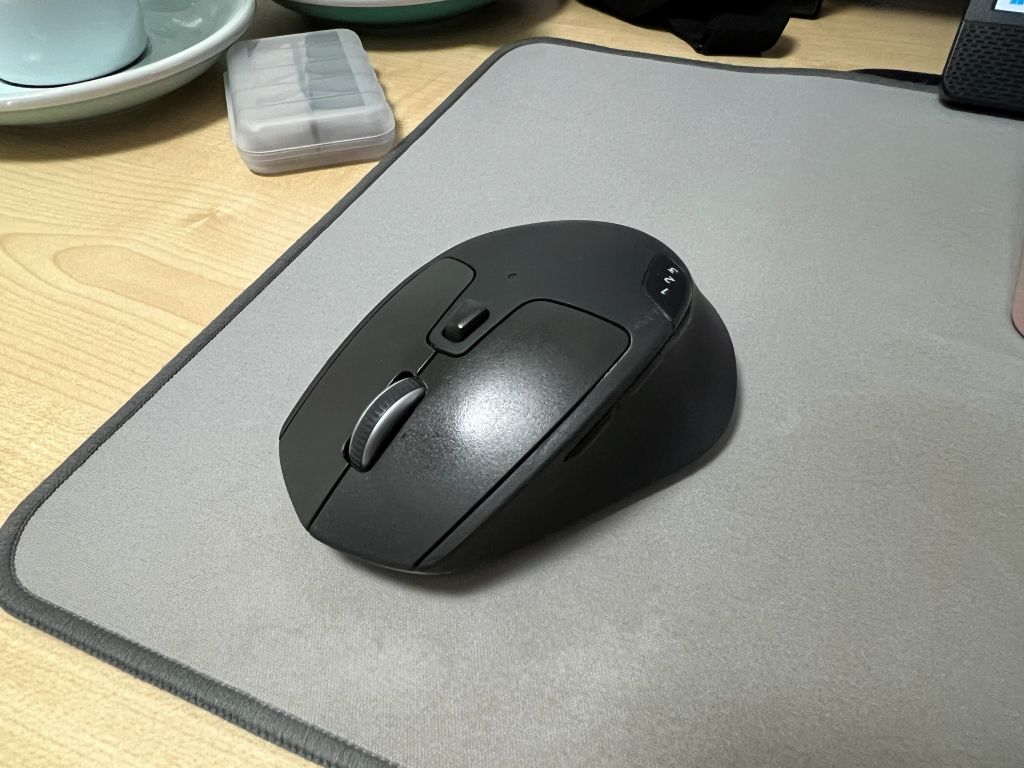
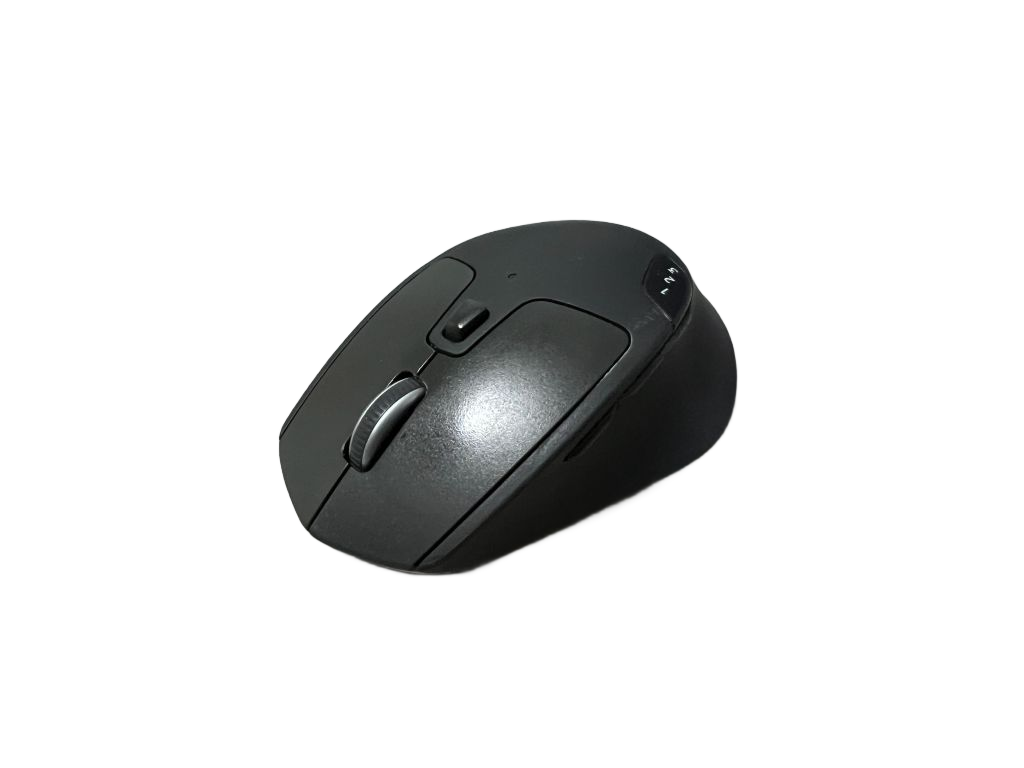
Example of a product photo with a messy background transformed into a clean transparent PNG with SimplyPNG
Step-by-Step: The Cheapest Workflow
If you want to stay on the Canva Free plan but need transparent backgrounds, follow this workflow:
- Shoot your photo: Use good lighting to ensure sharp edges.
- Remove background: Upload to SimplyPNG to get your transparent PNG.
- Upload back to Canva: Drag your clean PNG into your Canva project.
- Design and Export: Since the background is already transparent, your final Canva export (even as a standard PNG) will look perfect.
Conclusion
You don't need a $150/year subscription just to remove backgrounds. By using a specialist tool like SimplyPNG, you can maintain professional quality while only paying for what you need.
Ready to get your first transparent PNG for free?
FAQ
Frequently Asked Questions
Last Updated: February 3, 2026
Author: SimplyPNG
Tags: #Canva #transparent-PNG #background-removal #budget-friendly #design-tools
Sources:
- Canva — Pricing — Official Canva plan and pricing page
- remove.bg — Pricing — Official remove.bg pricing page
Ready to remove backgrounds?
Try SimplyPNG's AI-powered background removal tool for free. No signup required!